The whole disk, one screen
Your Mac's storage, finally readable.
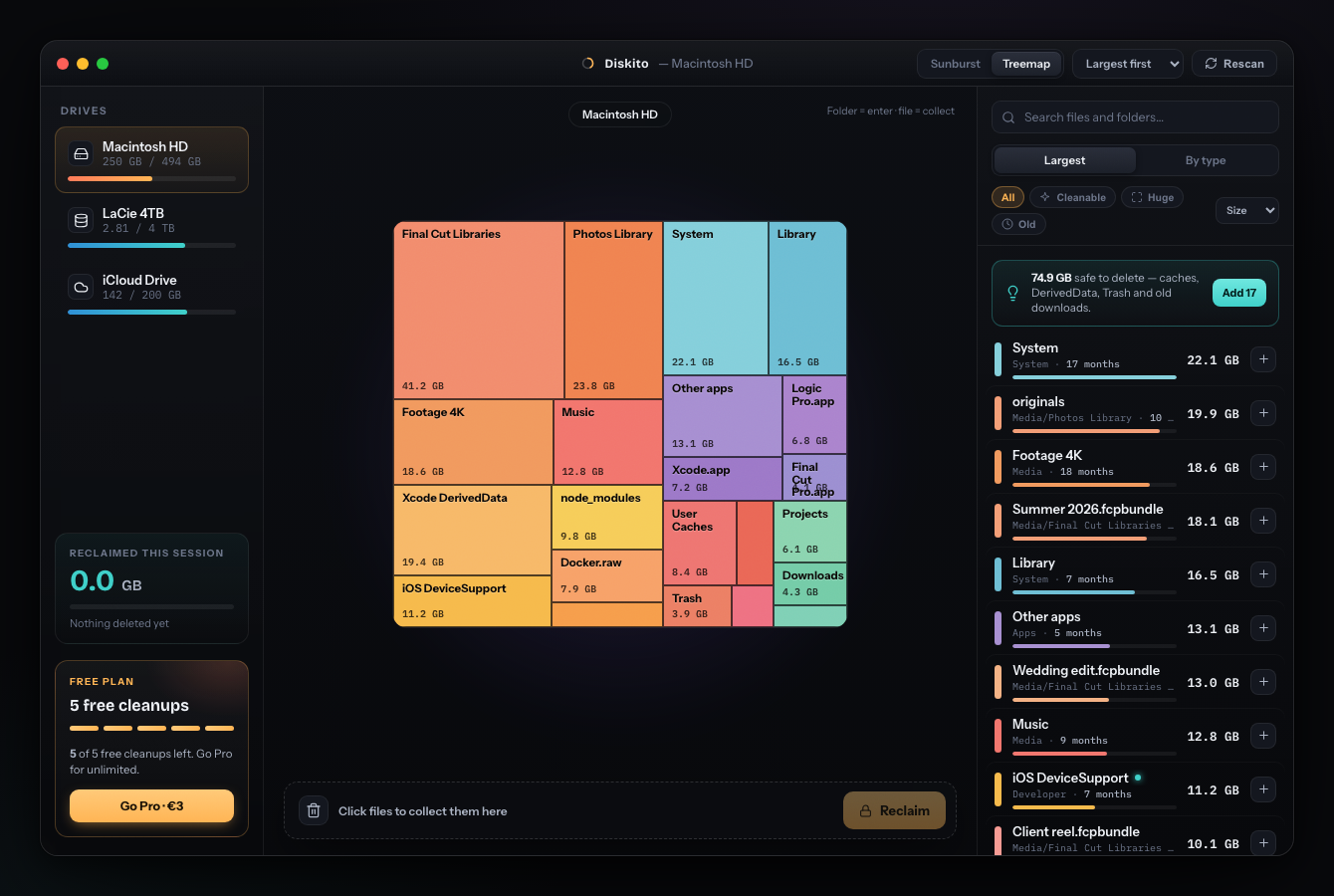
Three views — a live sunburst, a treemap or a Finder-style list — plus your biggest files, smart cleanup and a collector, all in one calm, fast window.
Reclaimed 41.2 GB
this session
One beautiful map. Every gigabyte. Reclaimed in clicks.
Diskito paints your whole Mac as an interactive sunburst, finds the safe-to-delete junk, and moves it to the Trash in one click — reversible until you empty it.
Three views — a live sunburst, a treemap or a Finder-style list — plus your biggest files, smart cleanup and a collector, all in one calm, fast window.
Most disk tools dump a boring list. Diskito shows your whole drive at a glance, so the space hogs are impossible to miss.
See your drive as a glowing ring, a packed map, or a Finder-style list. Click any folder to drill in, pinch to zoom and two-finger pan, and spot the giants instantly.
Diskito groups the safe-to-delete junk into clear categories — caches, Xcode DerivedData, node_modules, Docker, simulators, logs, Trash, old downloads — each with a plain reason it's safe. Click one to see exactly where it lives on the map.
Tap files to drop them in a collector, review the whole list, and move them all to the Trash in one click — no admin password. Reversible until you empty the Trash, right from Diskito.
Type to find any file or folder across the whole disk, sorted by size or by how long it's sat untouched — no matter how deep it's buried.
Diskito reads your drive in seconds and paints the full picture as a glowing sunburst map.
Click hogs, or let Smart Cleanup grab the safe stuff. Everything piles into the collector with a running total.
One click moves it all to the Trash — no admin password, reversible until you empty it — and Diskito tallies what you freed this session.
Visualize your whole disk and try cleaning — free. When you want unlimited cleanup, unlock it later, right inside the app. No subscription, ever.
Free to download — visualize everything and clean 5 times, no account. macOS 14+.